

WeCom
Using the Intelligent Bot feature inside the WeCom client, you only need to copy the Bot ID and Secret to connect WeCom to nexu.
Prerequisites
- If you are already part of a WeCom organization, you need enterprise admin permission in that organization to create and use an intelligent bot.
- If you are an individual user, you can register your own WeCom account first. Personal registration is free and does not require business credentials.
Step 1: Open Intelligent Bot and start creating
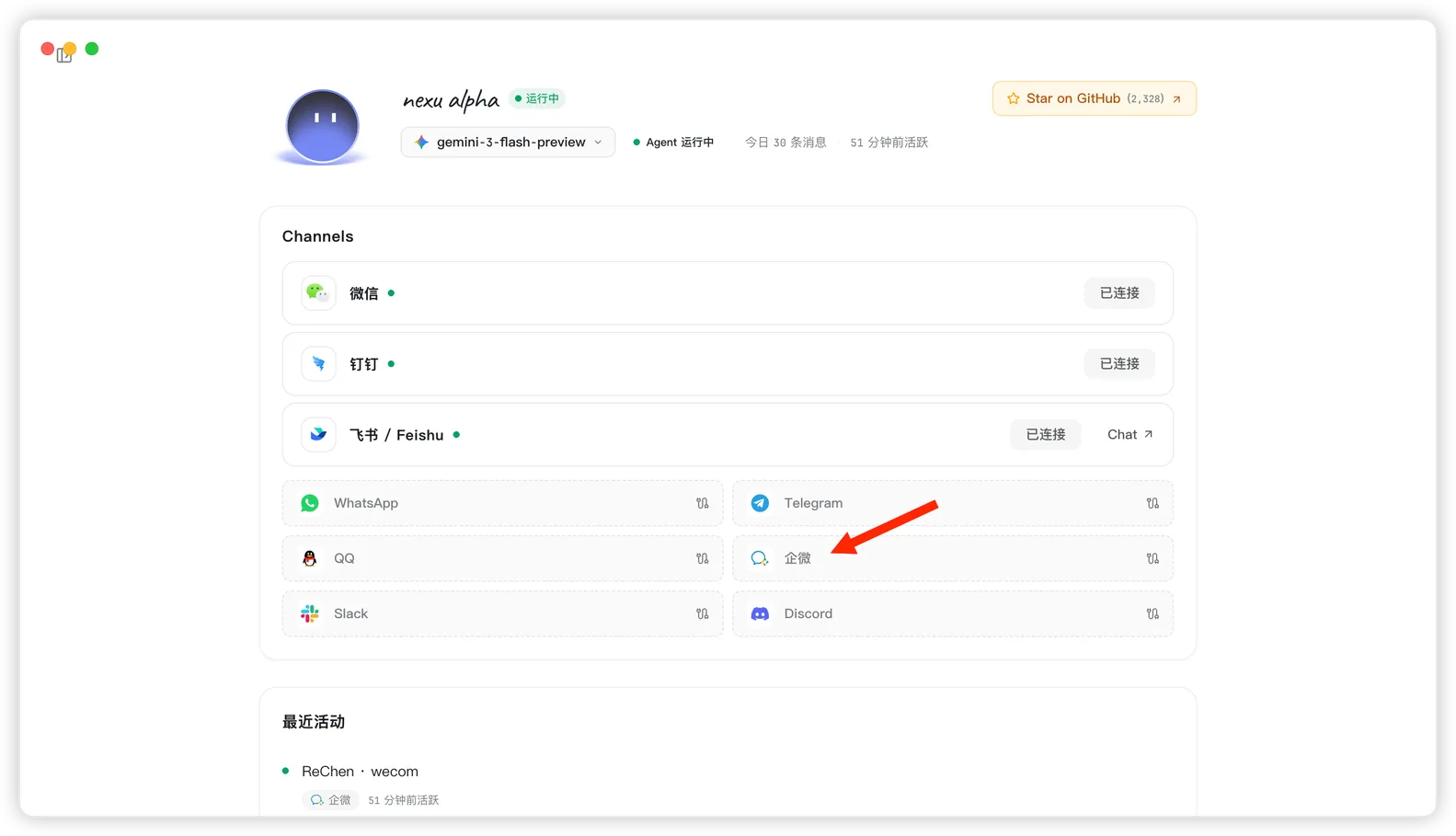
- Open the nexu client and click WeCom in the Channels section.
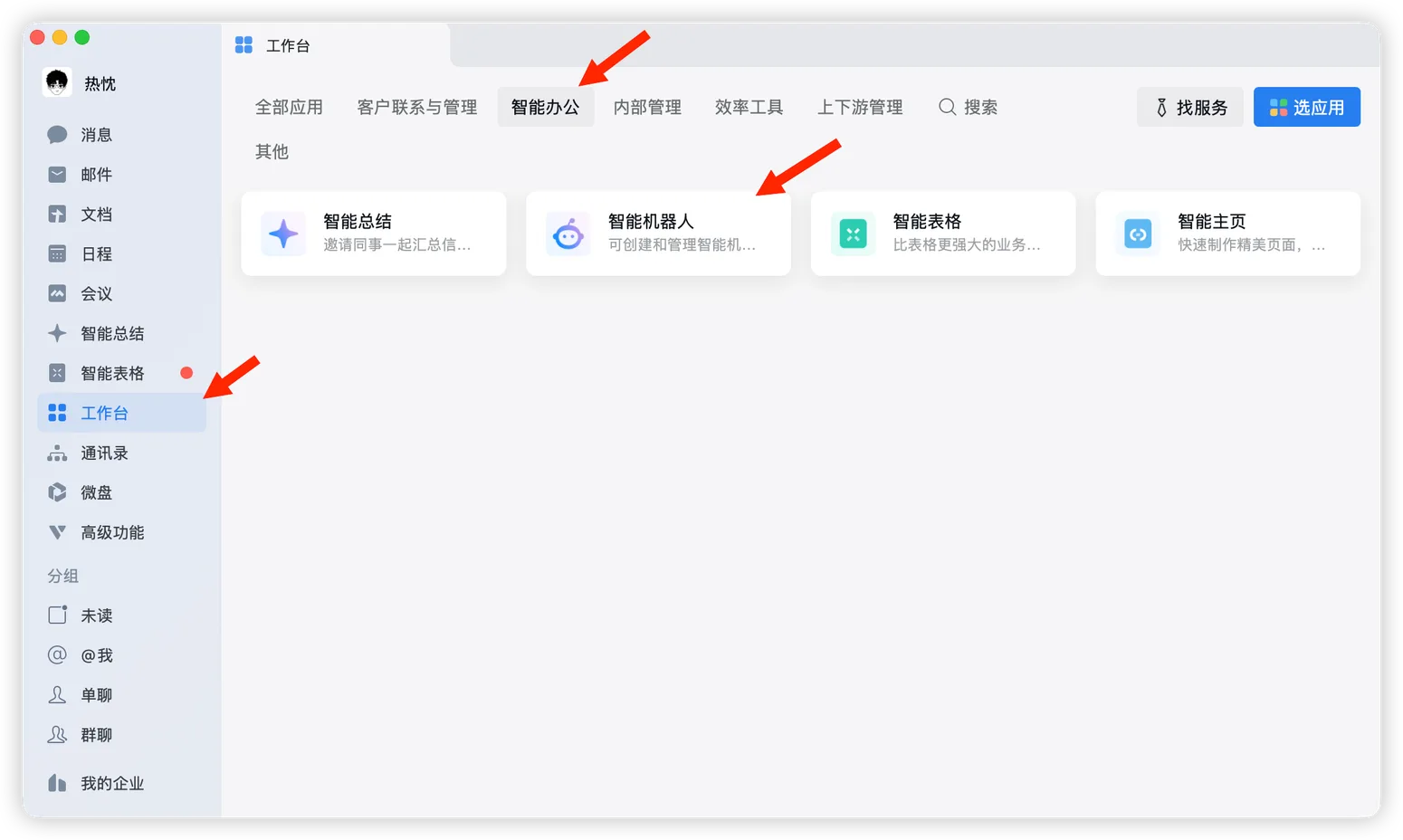
- In the WeCom client, click "Workbench" in the left sidebar, switch to "Smart Office" at the top, then open "Intelligent Bot".
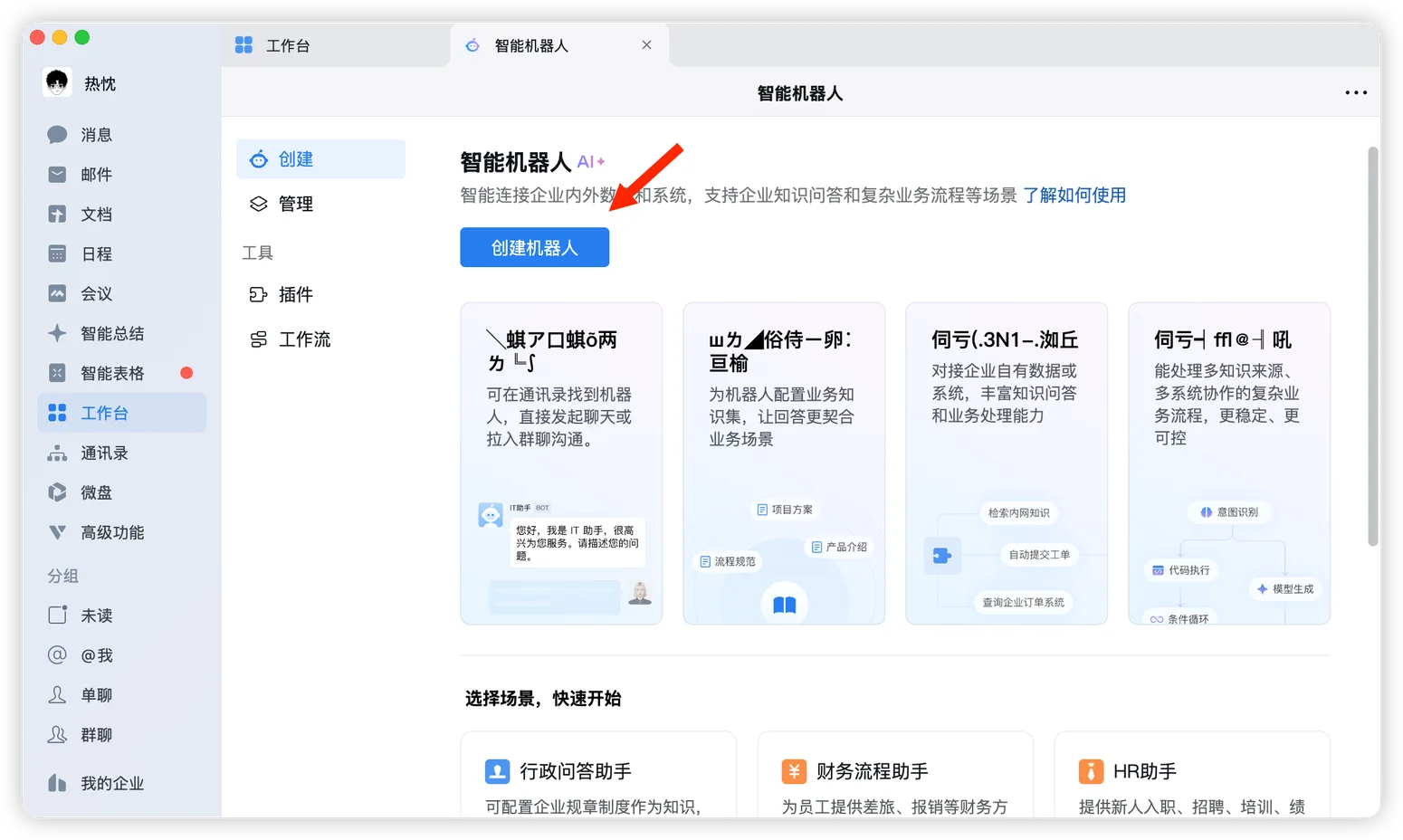
- On the Intelligent Bot page, click "Create Bot".
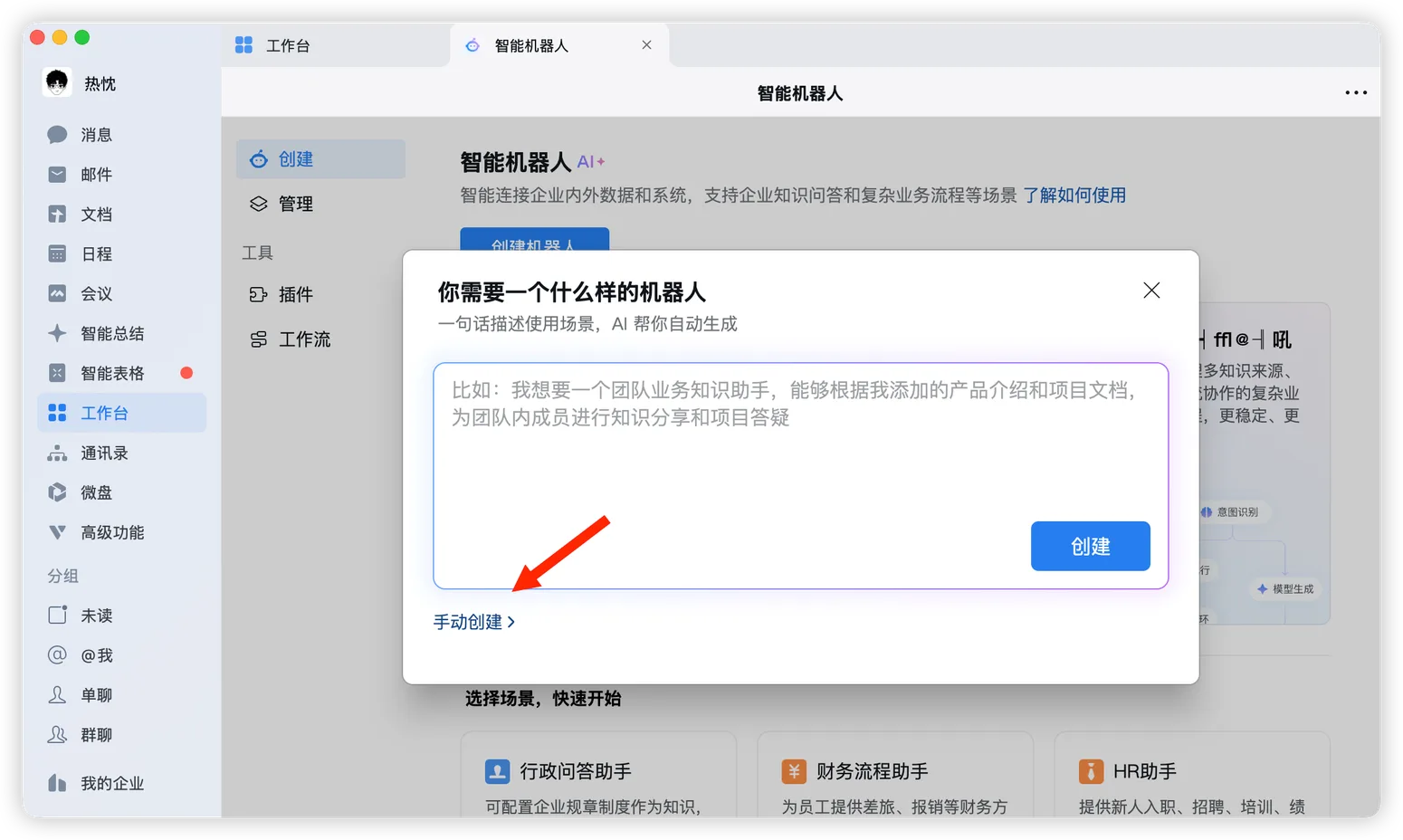
- In the creation dialog, click "Manual Create" in the lower-left corner.
Step 2: Switch to API mode and copy credentials
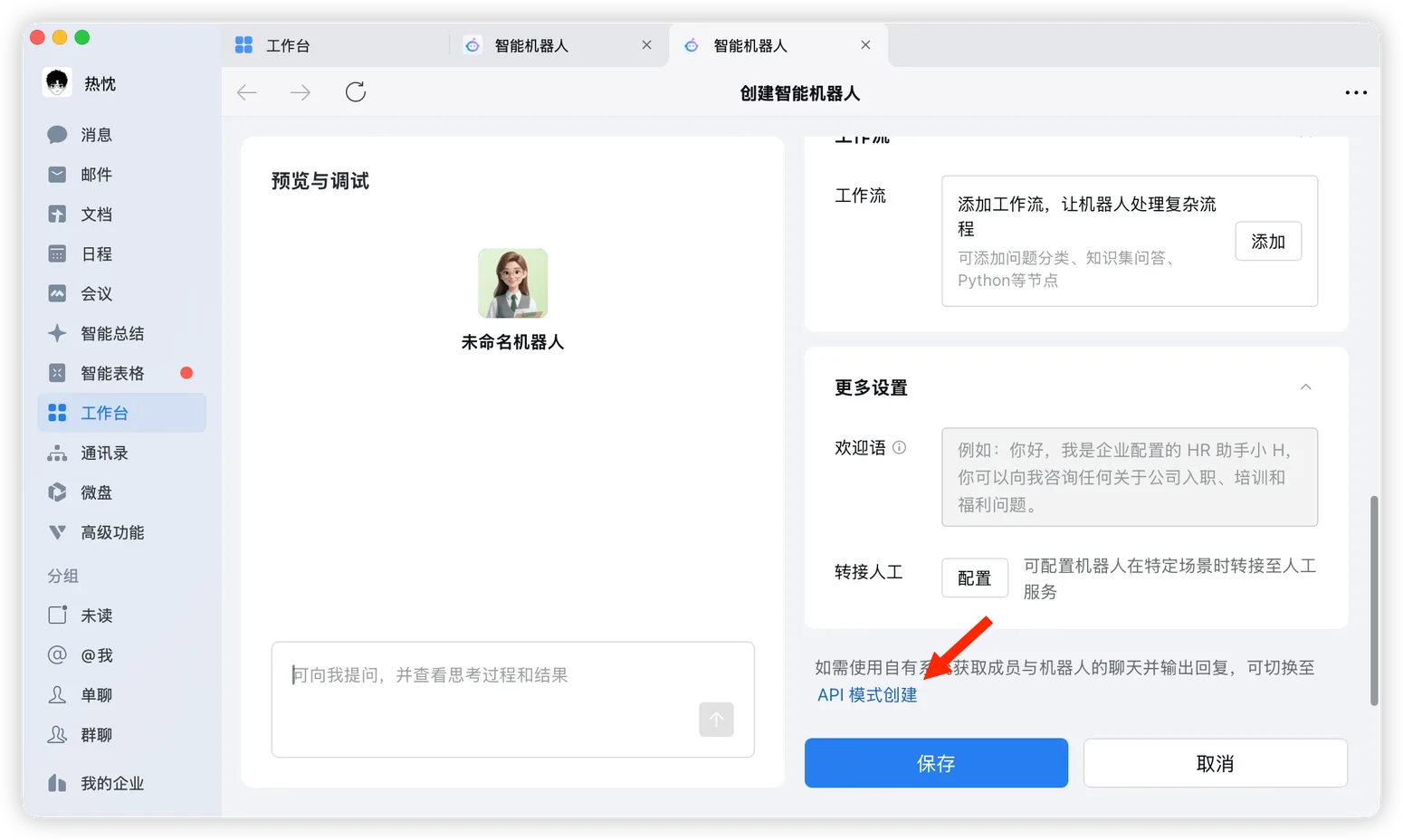
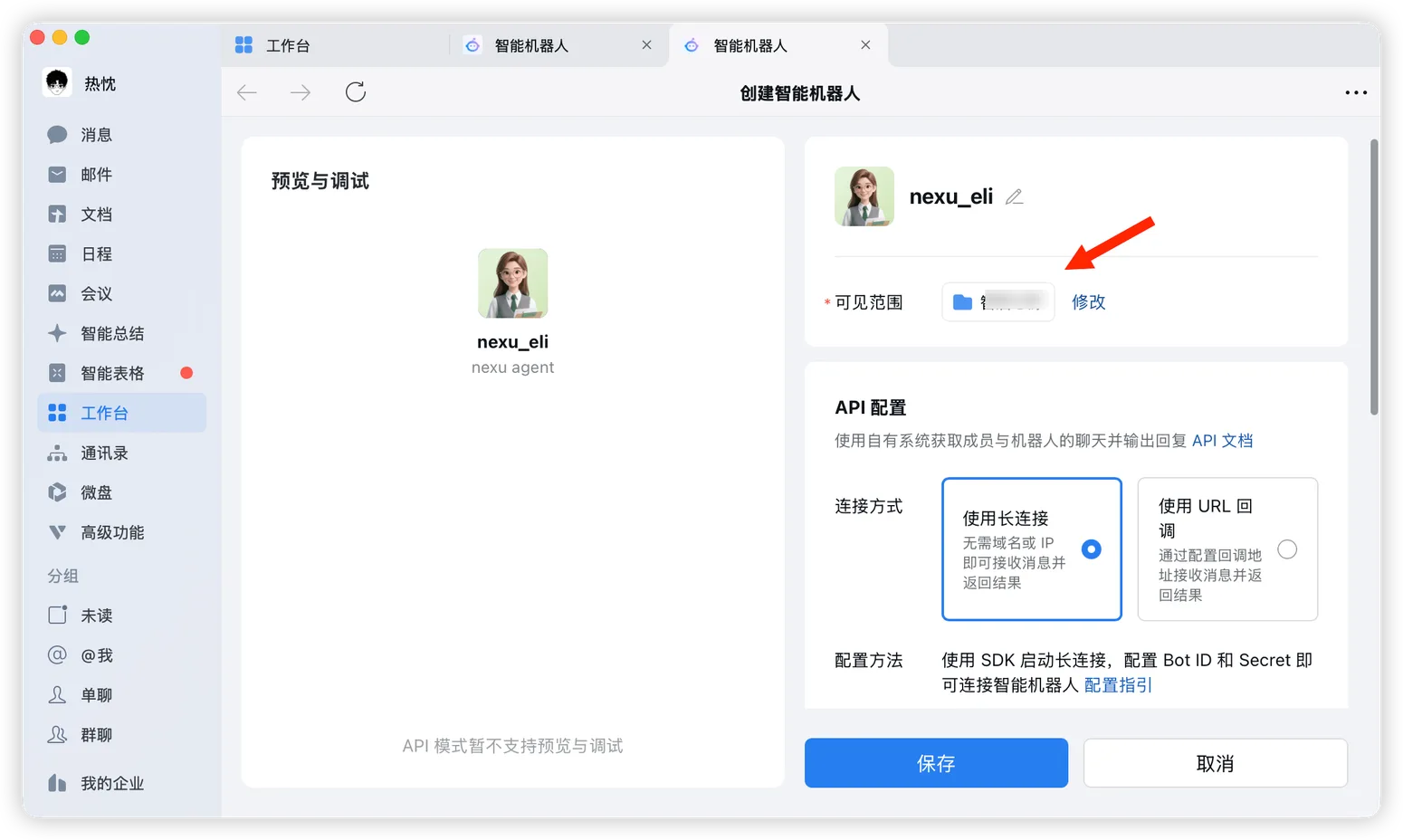
- On the creation page, click "Create in API Mode" on the right.
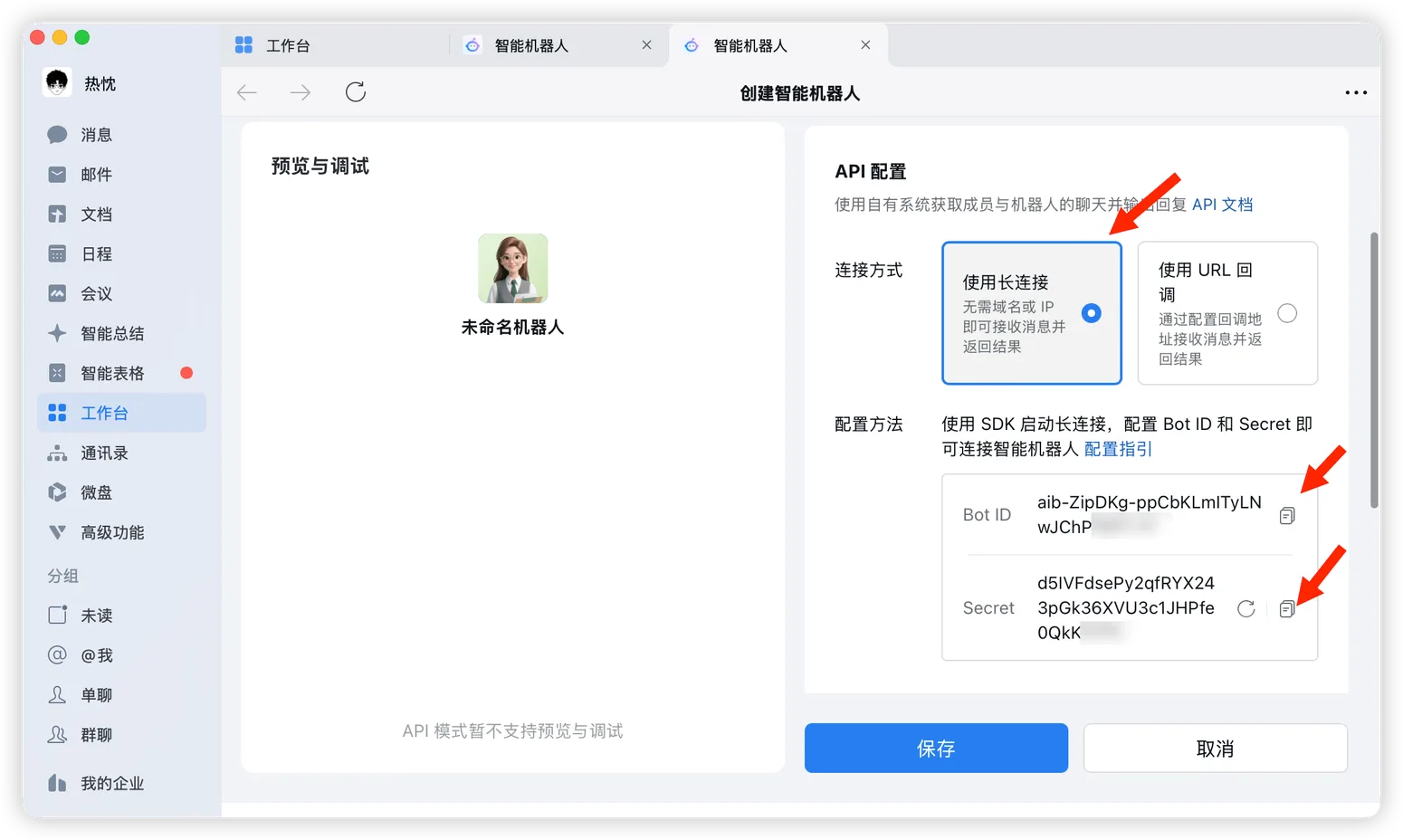
In API settings, choose "Use Long Connection".
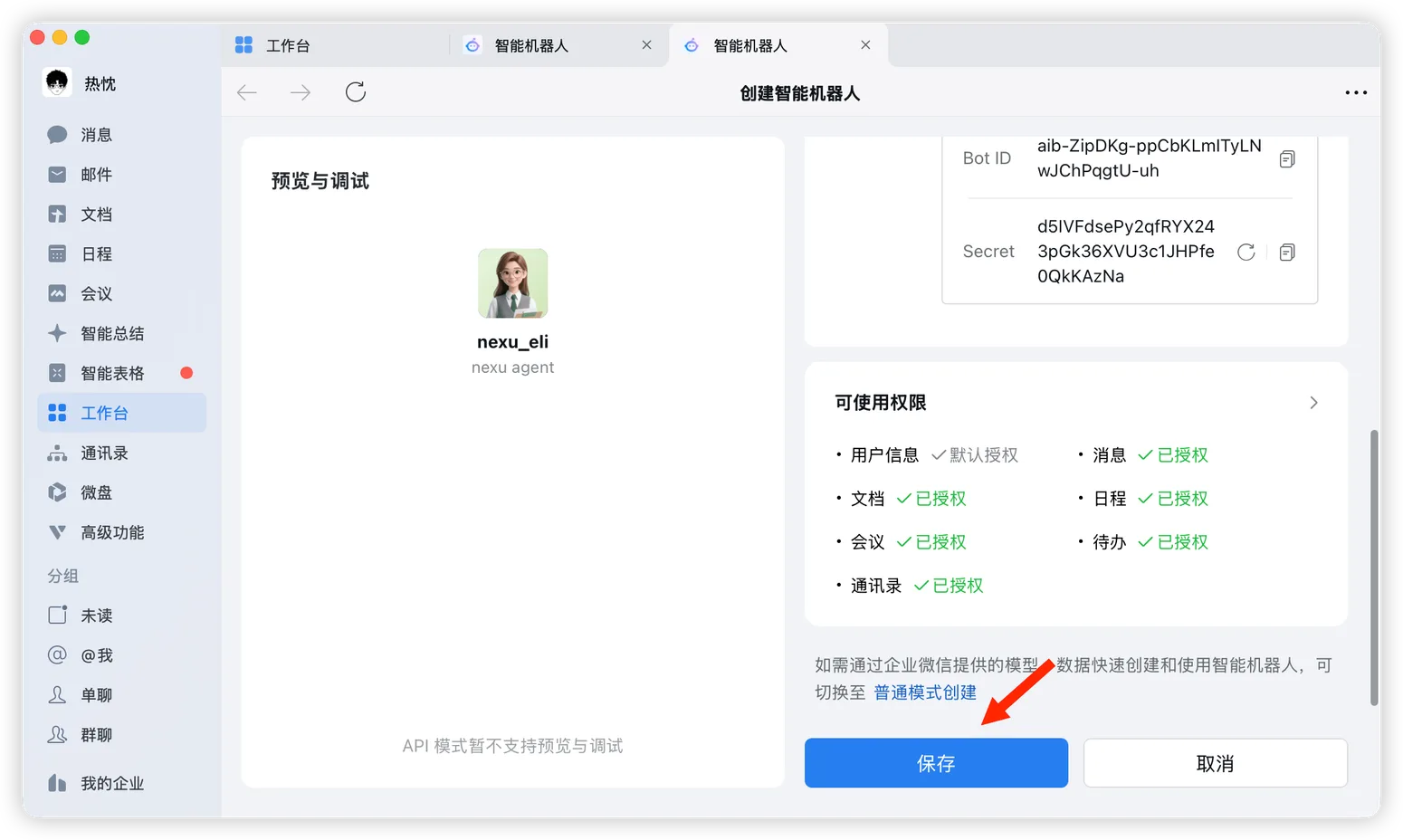
Copy and save these two values:
- Bot ID
- Secret
You will need them when connecting WeCom in nexu.
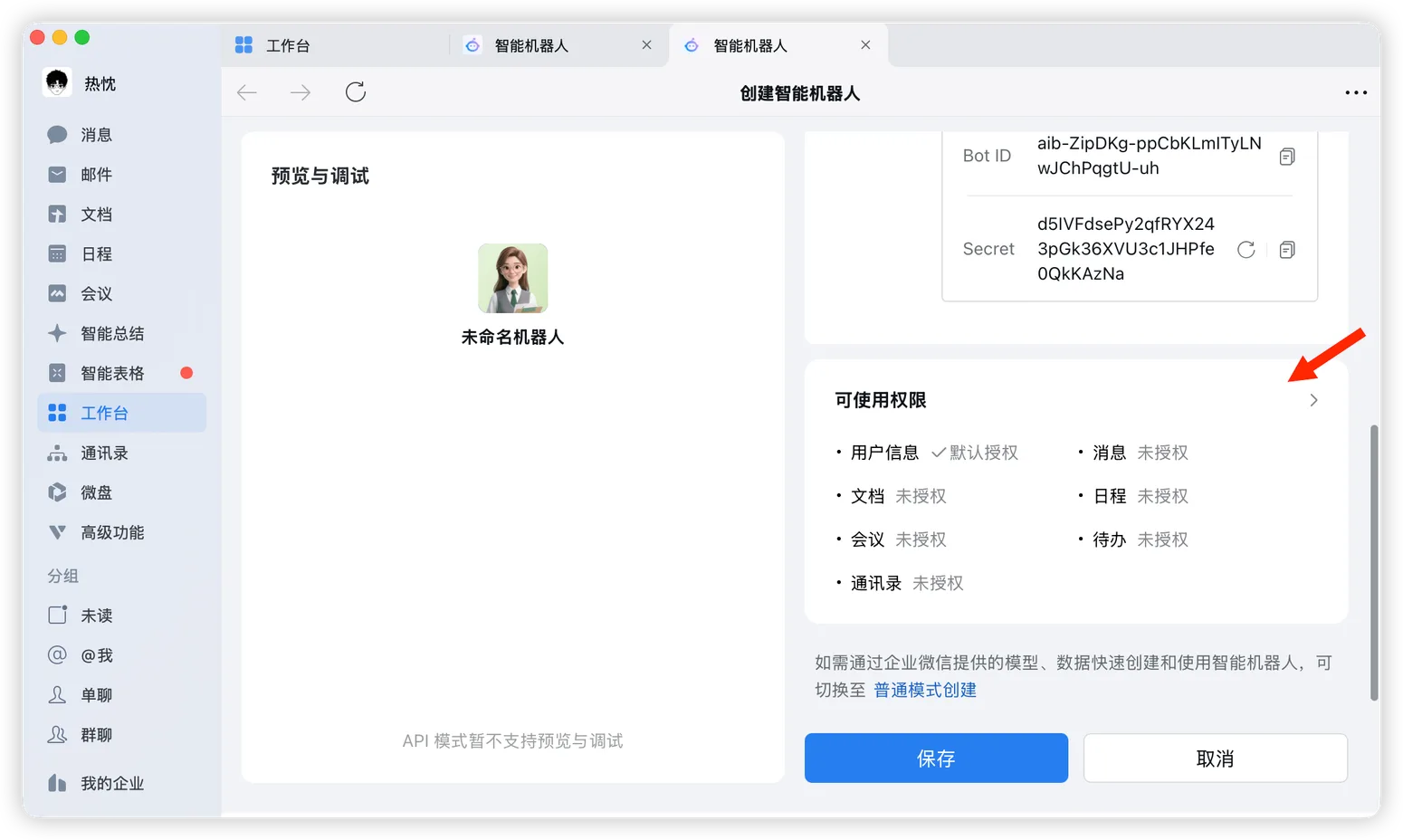
Step 3: Grant permissions
- On the same page, scroll down to "Available Permissions" and click the expand button on the right.
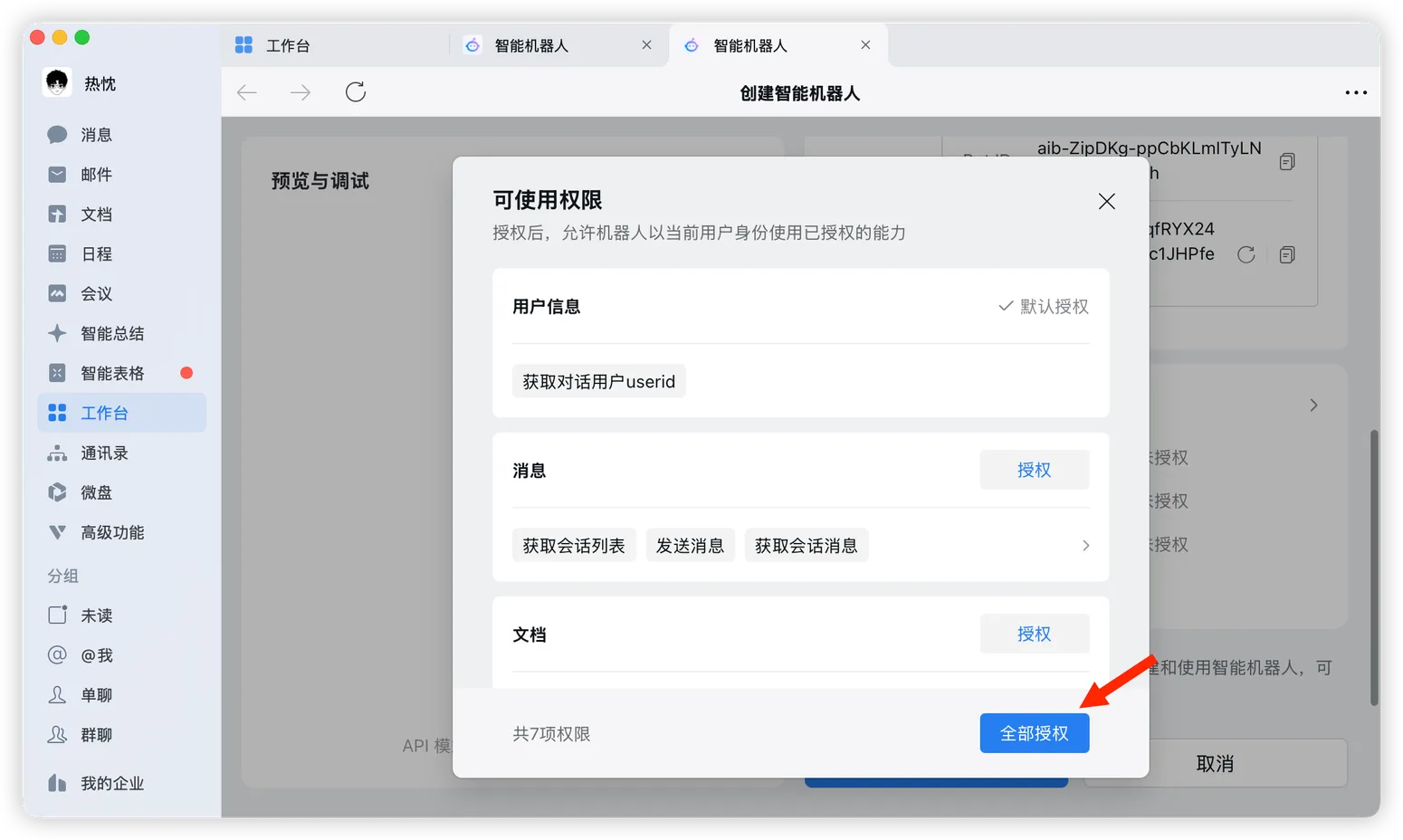
- In the permissions dialog, click "Authorize All".
Step 4: Finish the bot configuration and save
- Back on the bot settings page, confirm or adjust the visibility scope so you or the intended members can see and use the bot.
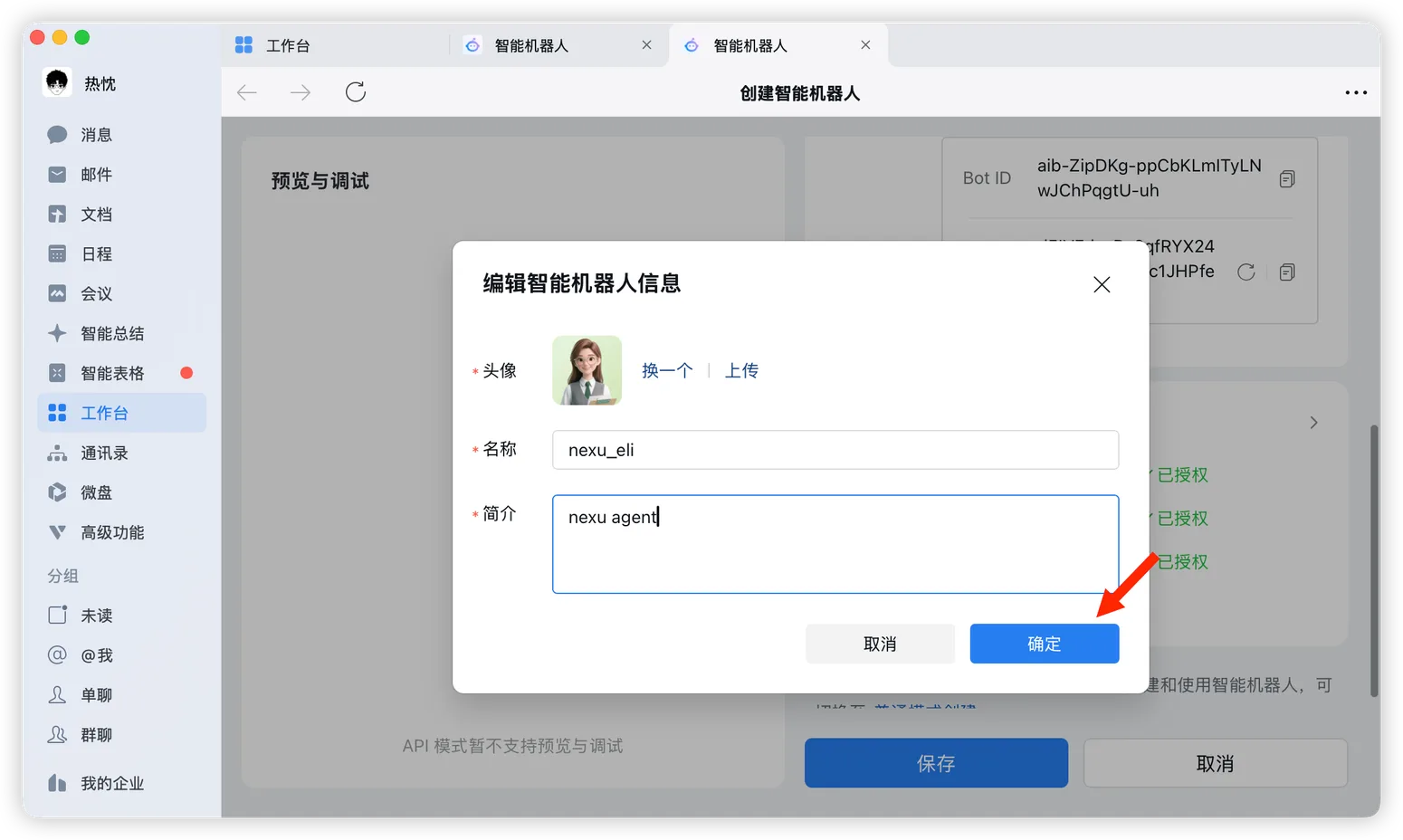
- If needed, edit the bot avatar, name, and description, then click "Confirm".
- After confirming the settings, click "Save" at the bottom.
Step 5: Open the bot and start using it
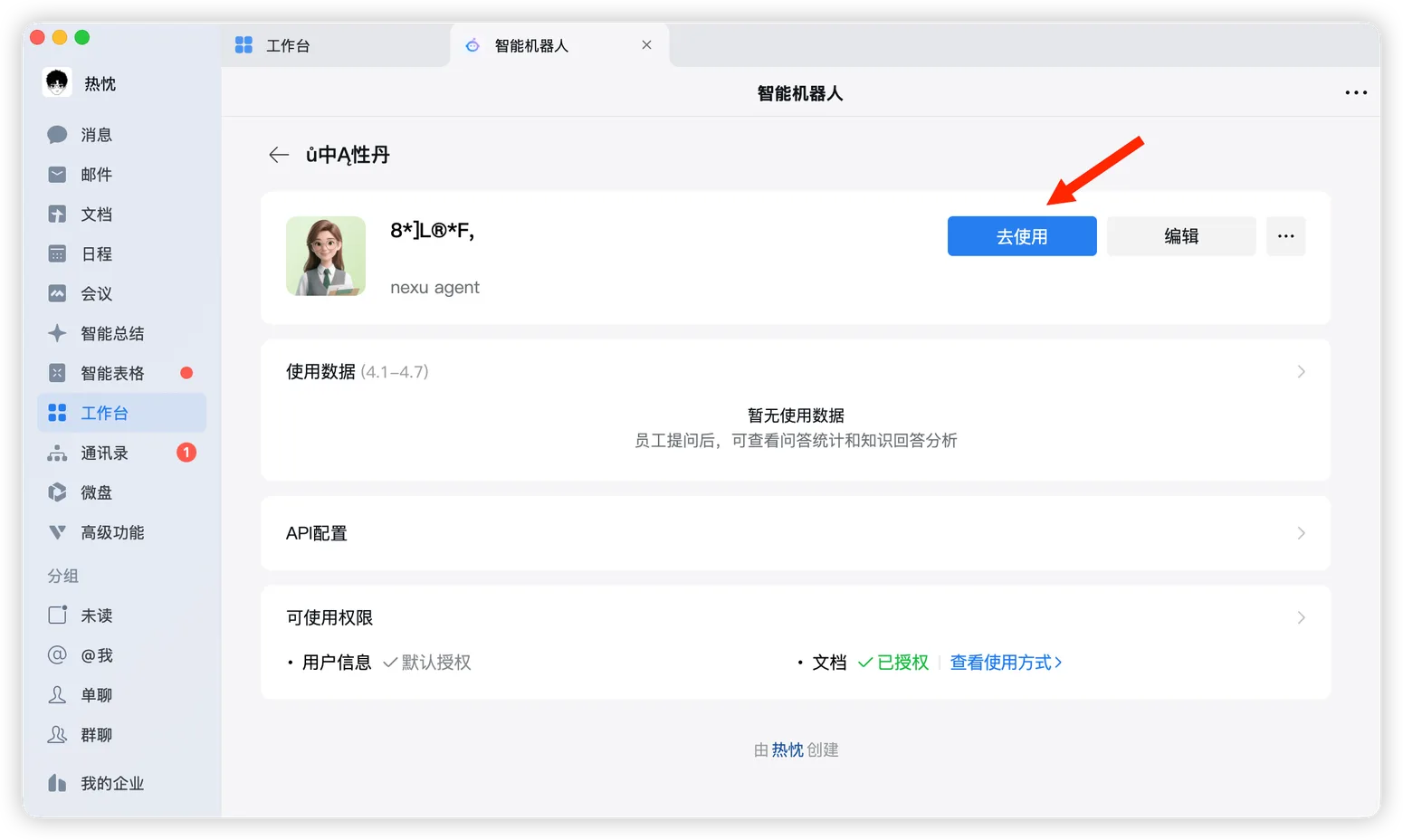
- After saving, click "Use Now" on the bot details page.
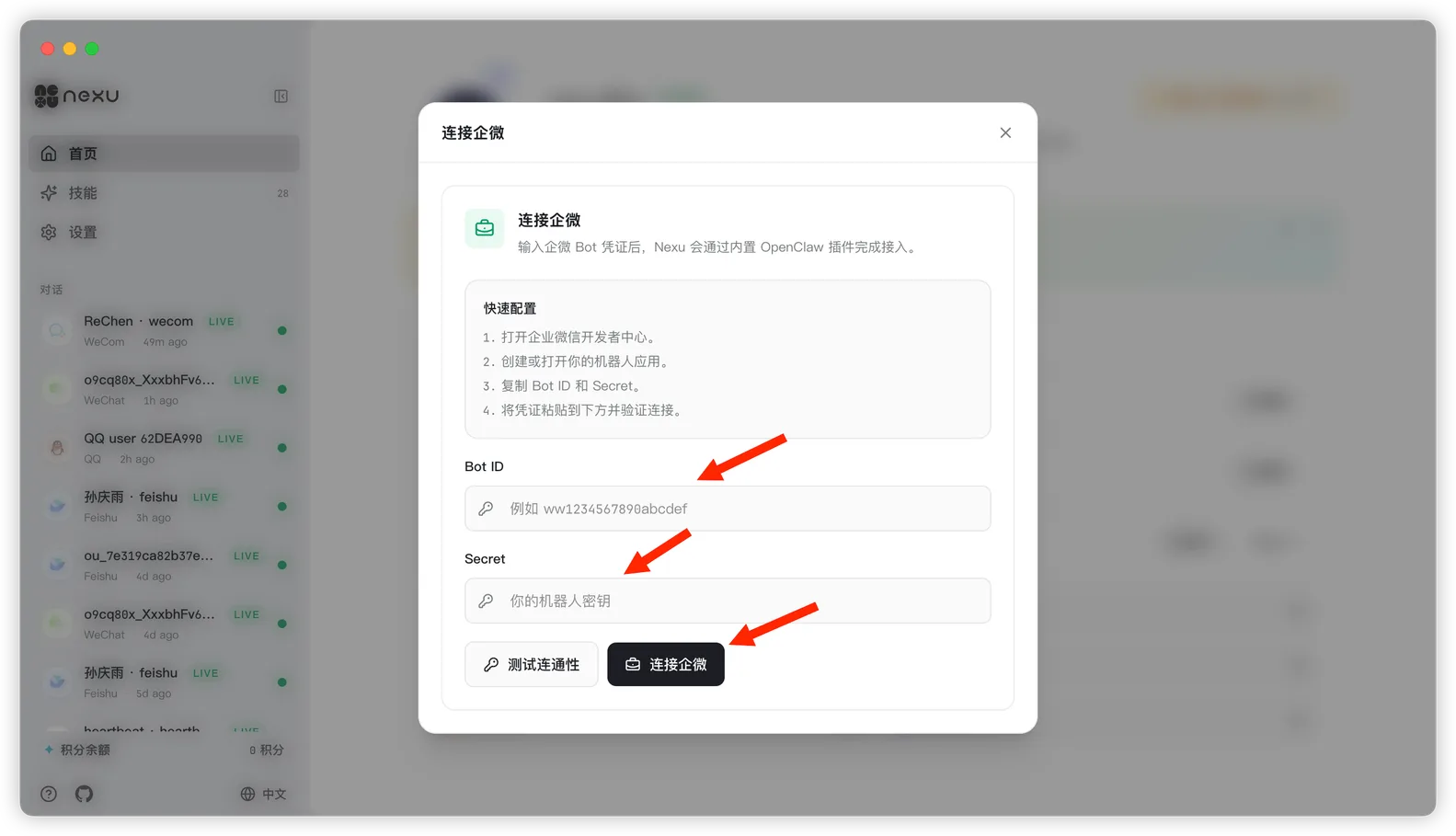
- Go back to nexu, paste the
Bot IDandSecretinto the WeCom channel dialog, then click "Connect WeCom".
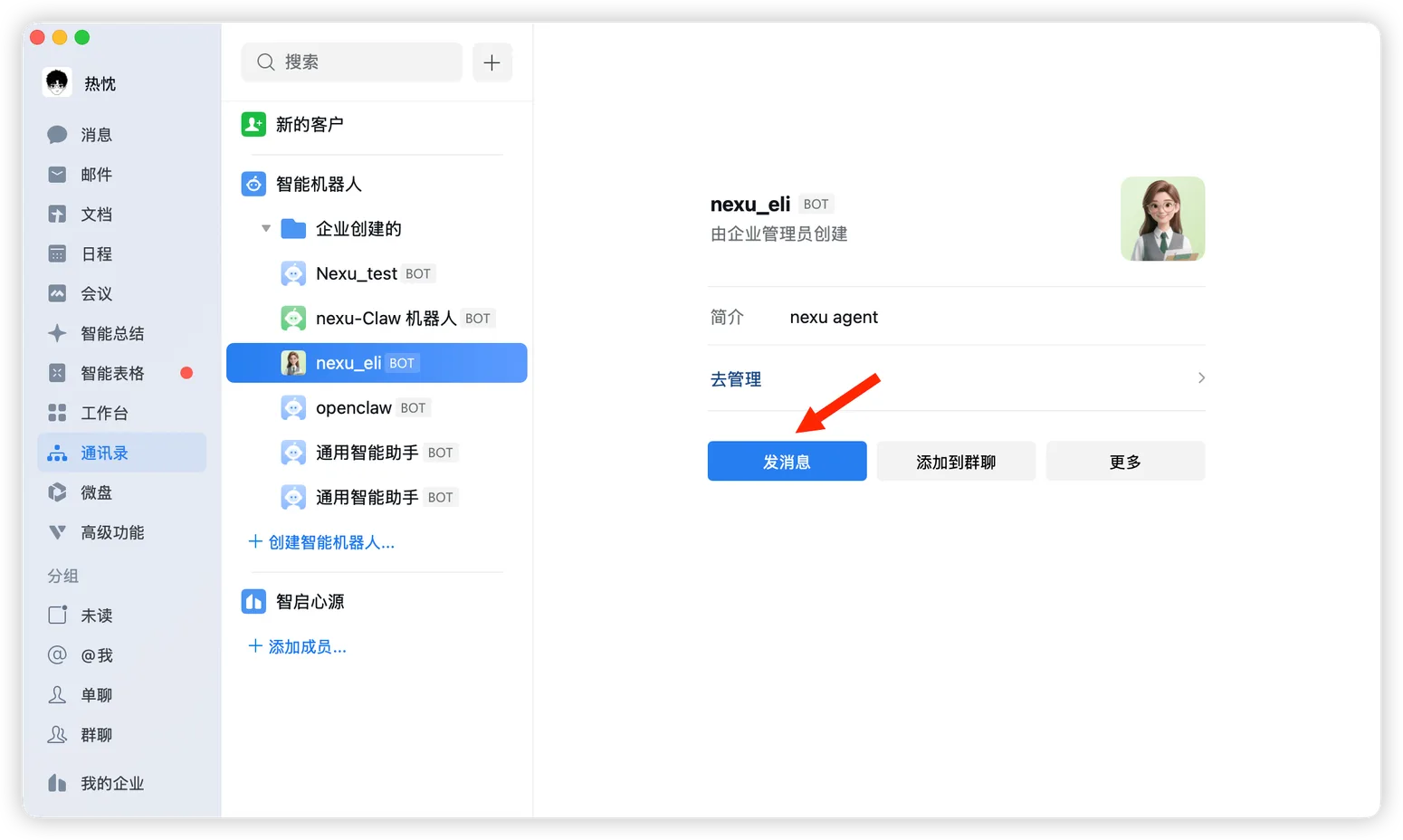
- In Contacts or in the bot list, find the bot you just created and click "Send Message".
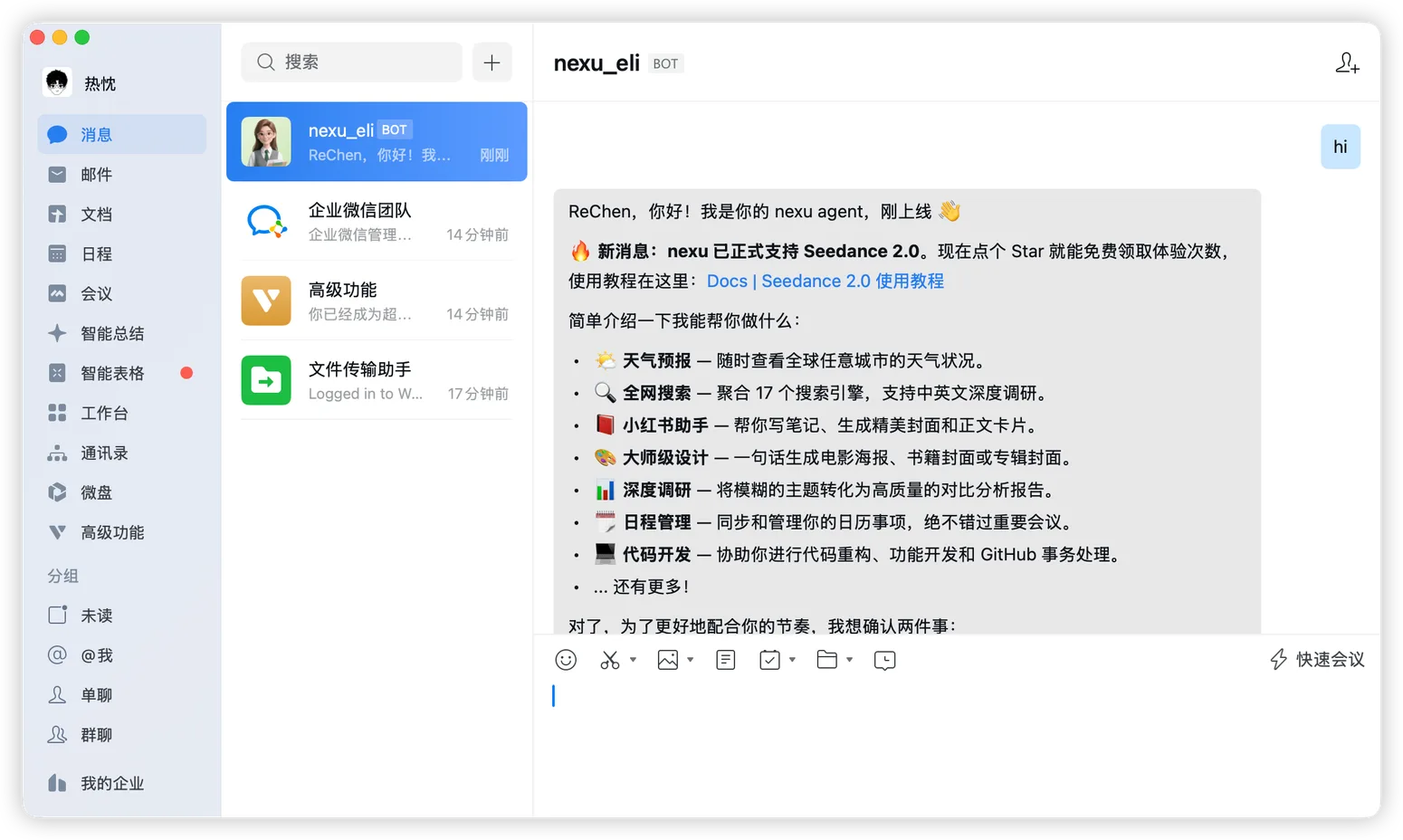
- Once connected, you can chat with your Agent in WeCom like this.
FAQ
Q: Can I use this if I am not an enterprise admin?
Yes. If you are not an admin in an existing organization, you can register your own WeCom account first and create the intelligent bot yourself.
Q: Do I need my own server or public callback URL?
No. If you choose "Use Long Connection" in this flow, you do not need to configure your own public callback address.
Q: Why is the bot not replying after I connected it?
Check these first:
- The
Bot IDandSecretin nexu are correct - Permissions in WeCom have been granted
- The visibility scope includes you
- The nexu client is still running
Q: Can I add this bot to a group chat?
Yes. It is best to confirm that the bot works in a 1:1 chat first, then add it to a WeCom group chat.