

QQ
All you need is an App ID and App Secret to connect your QQ bot to nexu.
Step 1: Open the QQ channel in nexu
- Open the nexu client and click QQ in the Channels section.
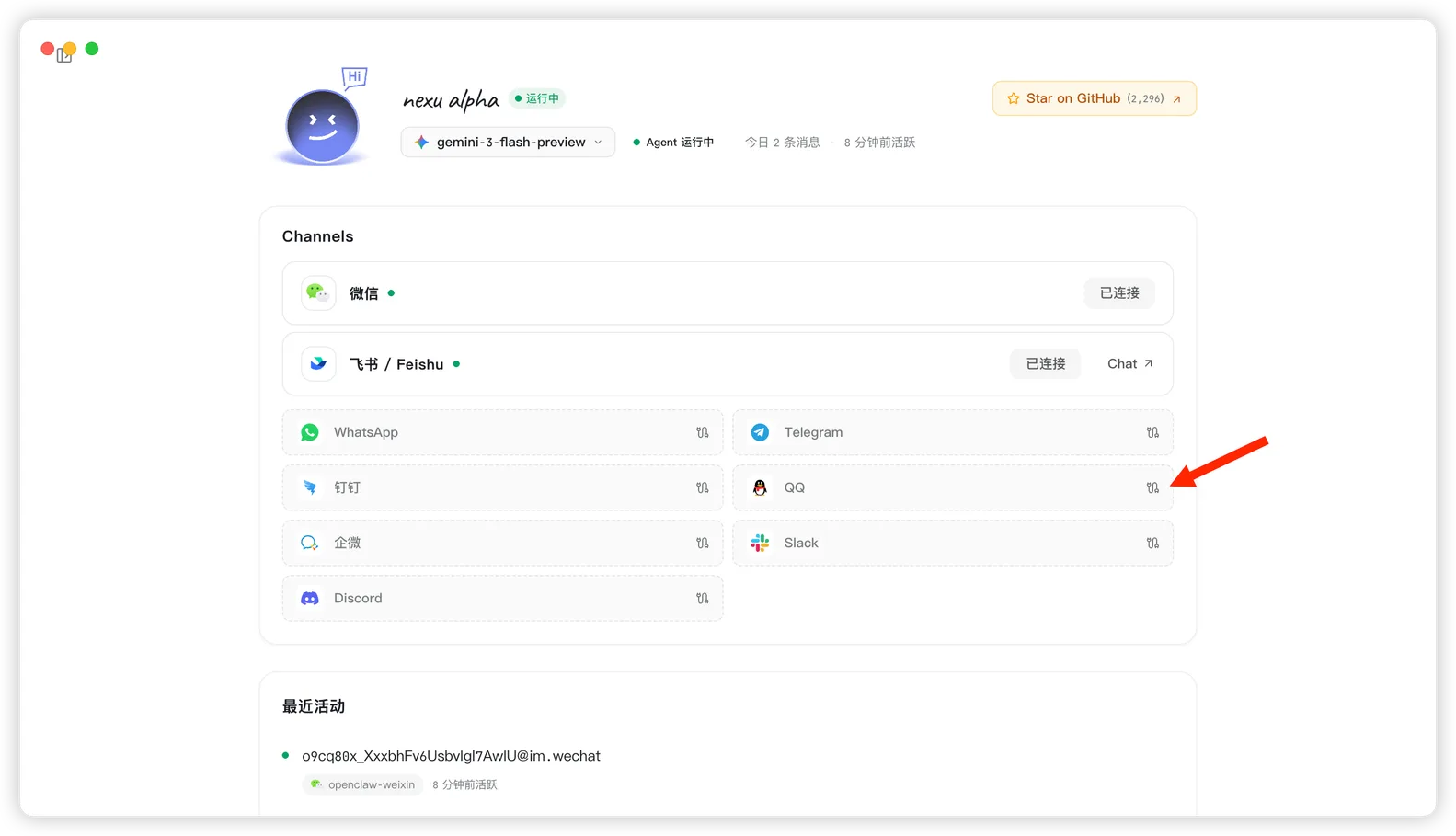
- Open the QQ Open Platform: https://q.qq.com/qqbot/openclaw/login.html
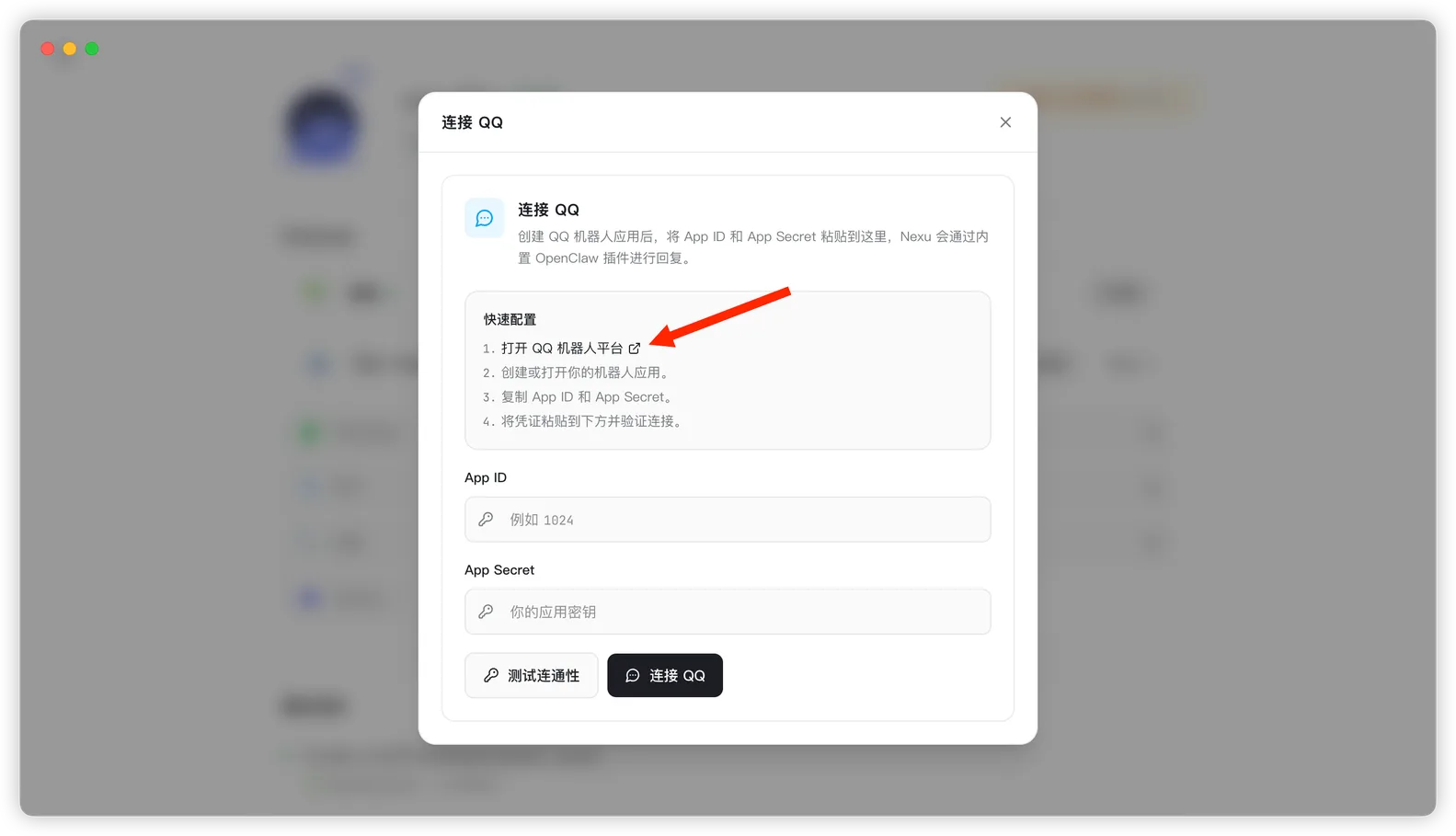
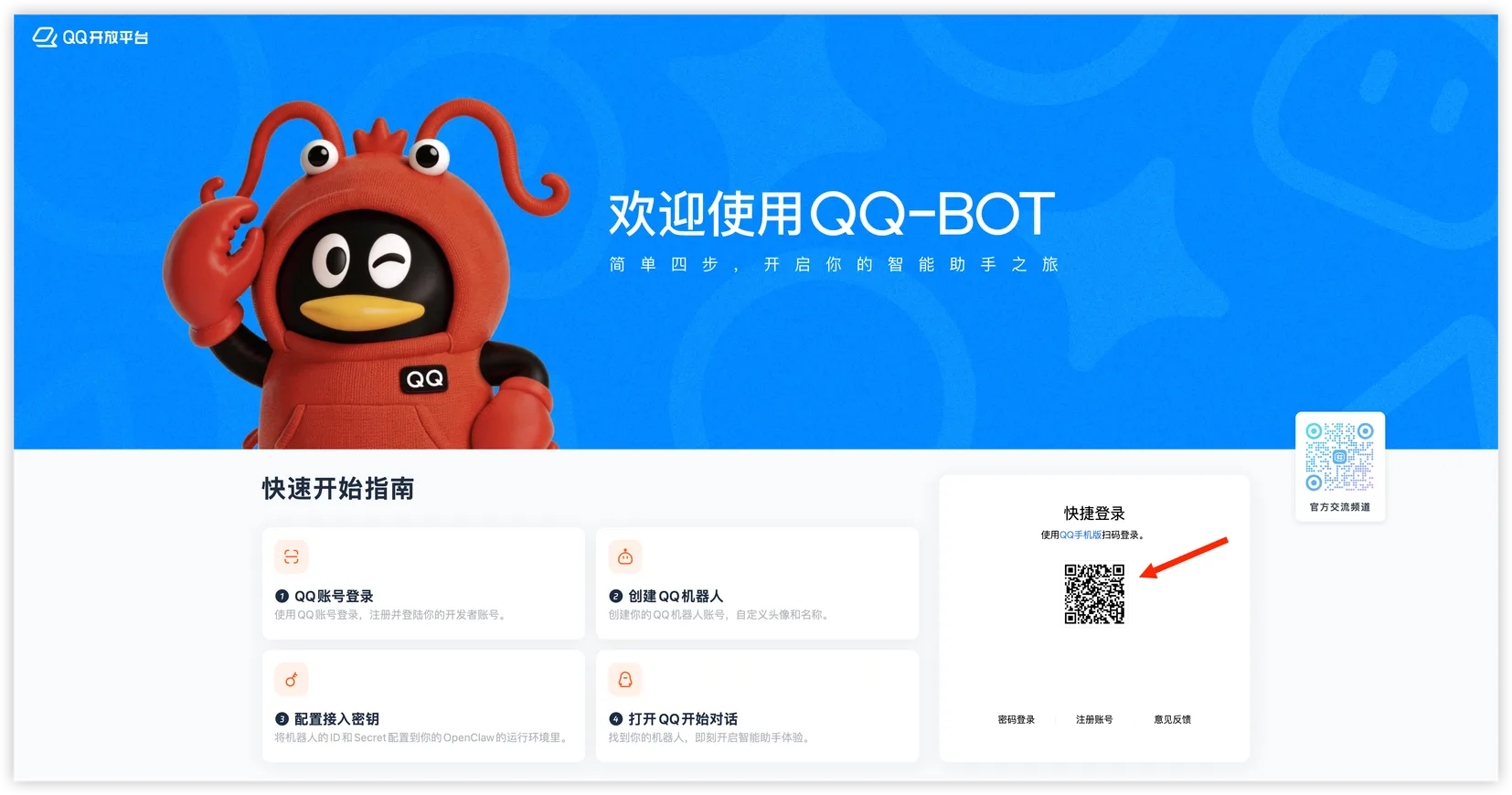
Step 2: Sign in to the QQ Open Platform
- Use mobile QQ to scan the login QR code.
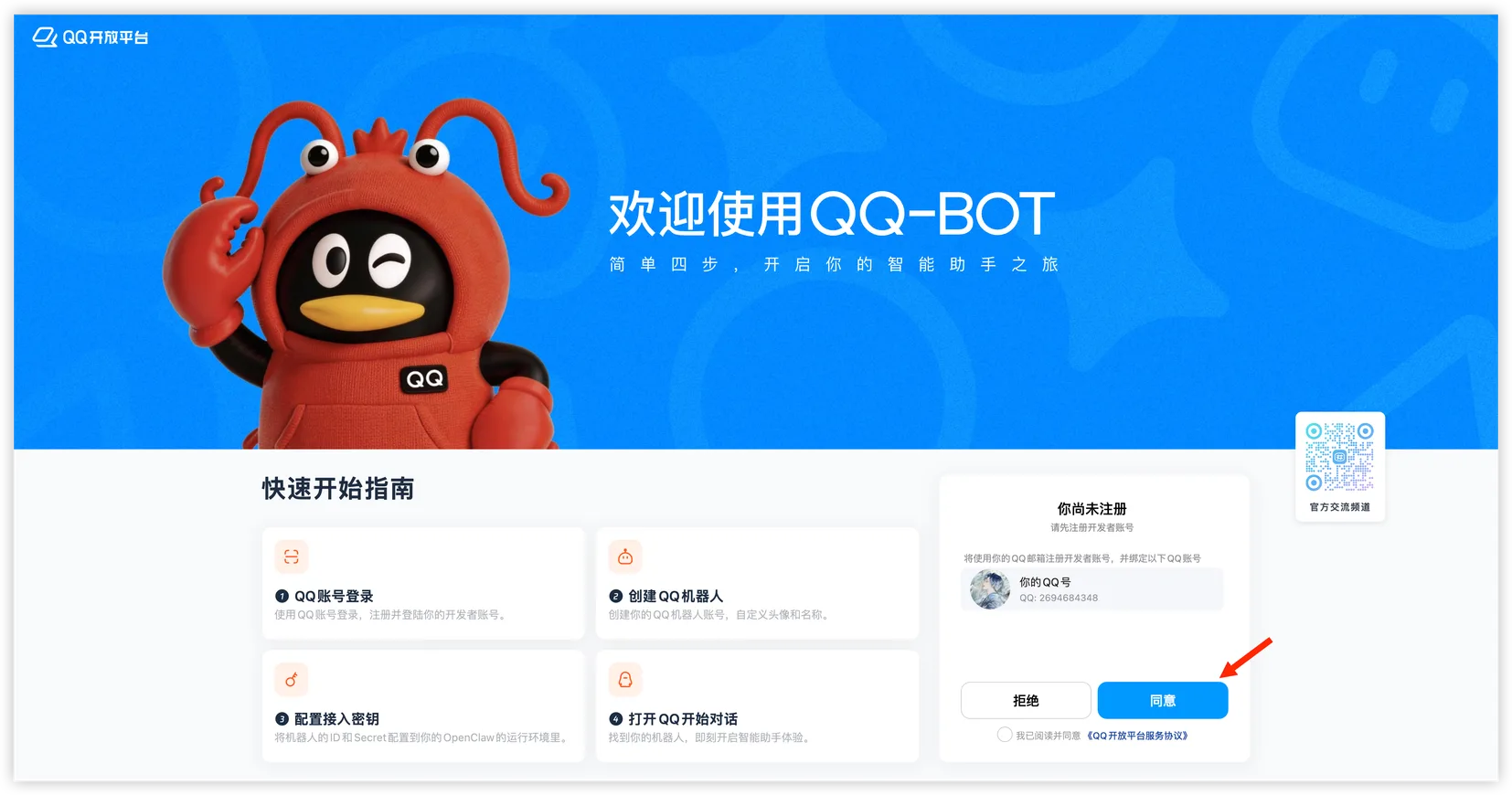
- Tap "Agree" in mobile QQ to finish signing in.
Step 3: Create a QQ bot
- After signing in, click "Create Bot" in the bot list.
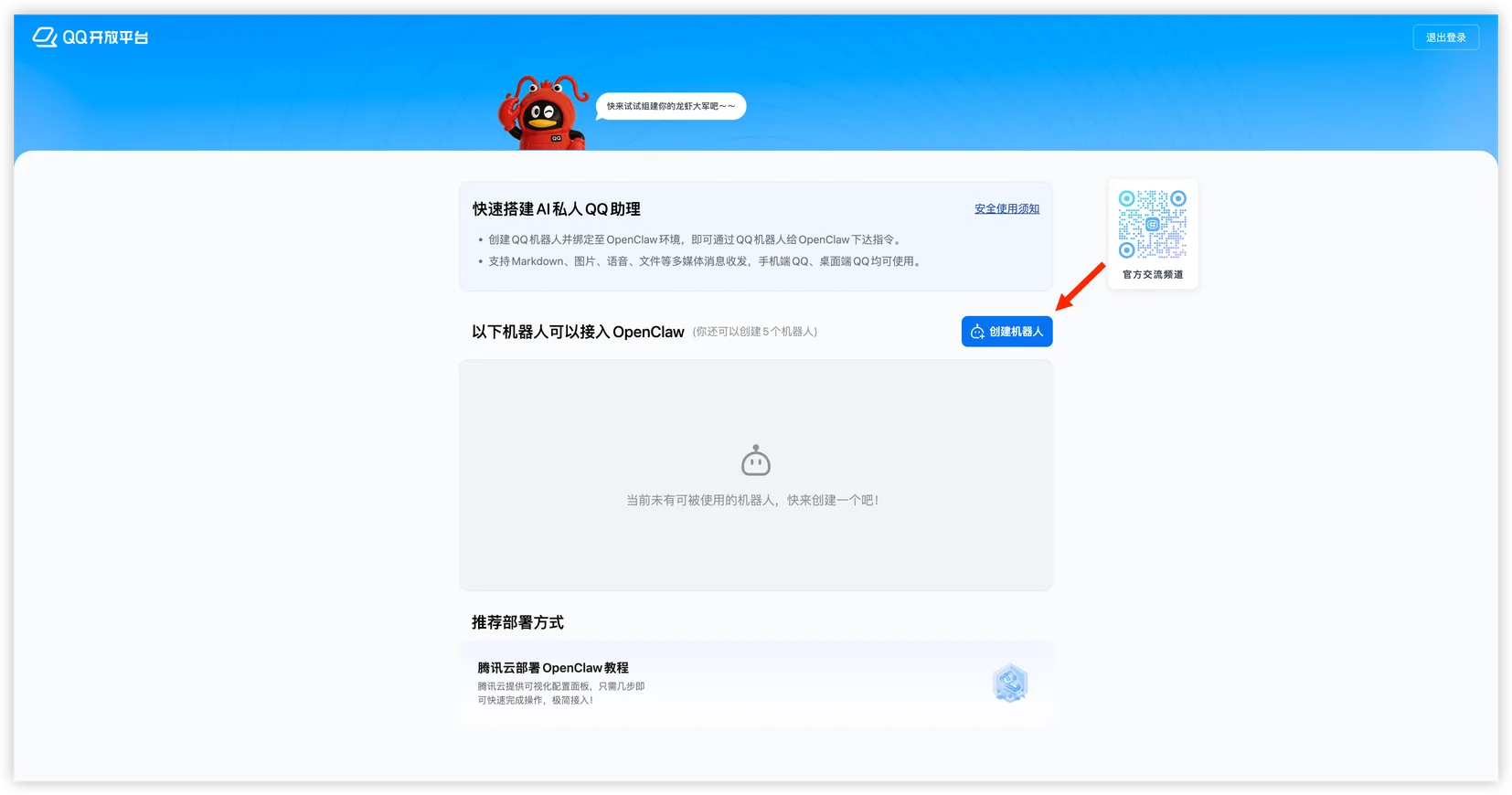
Step 4: Copy the App ID and App Secret
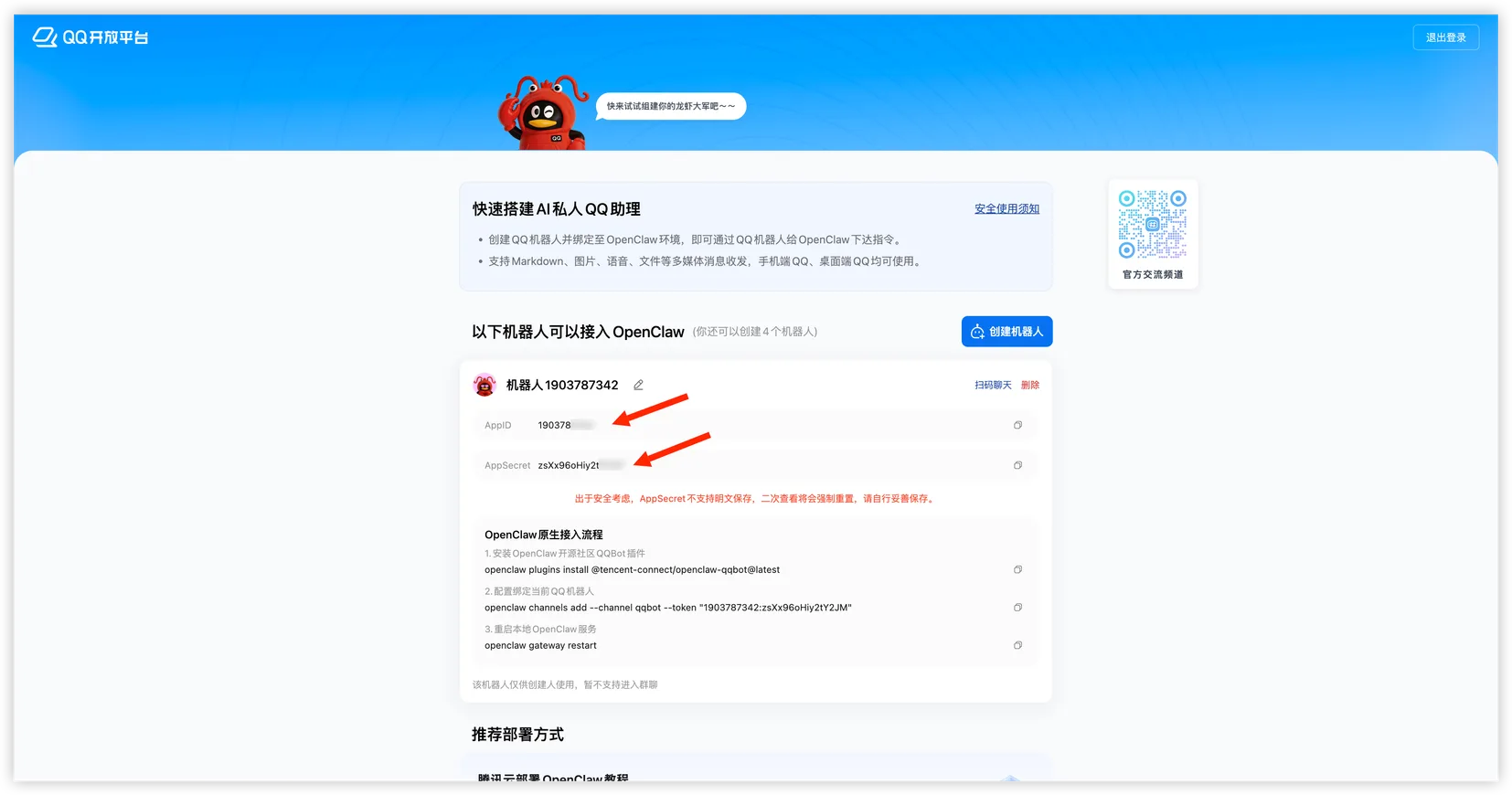
Copy and save these two values from the bot details page:
- App ID
- App Secret
The full App Secret may only be shown once, so save it right away.
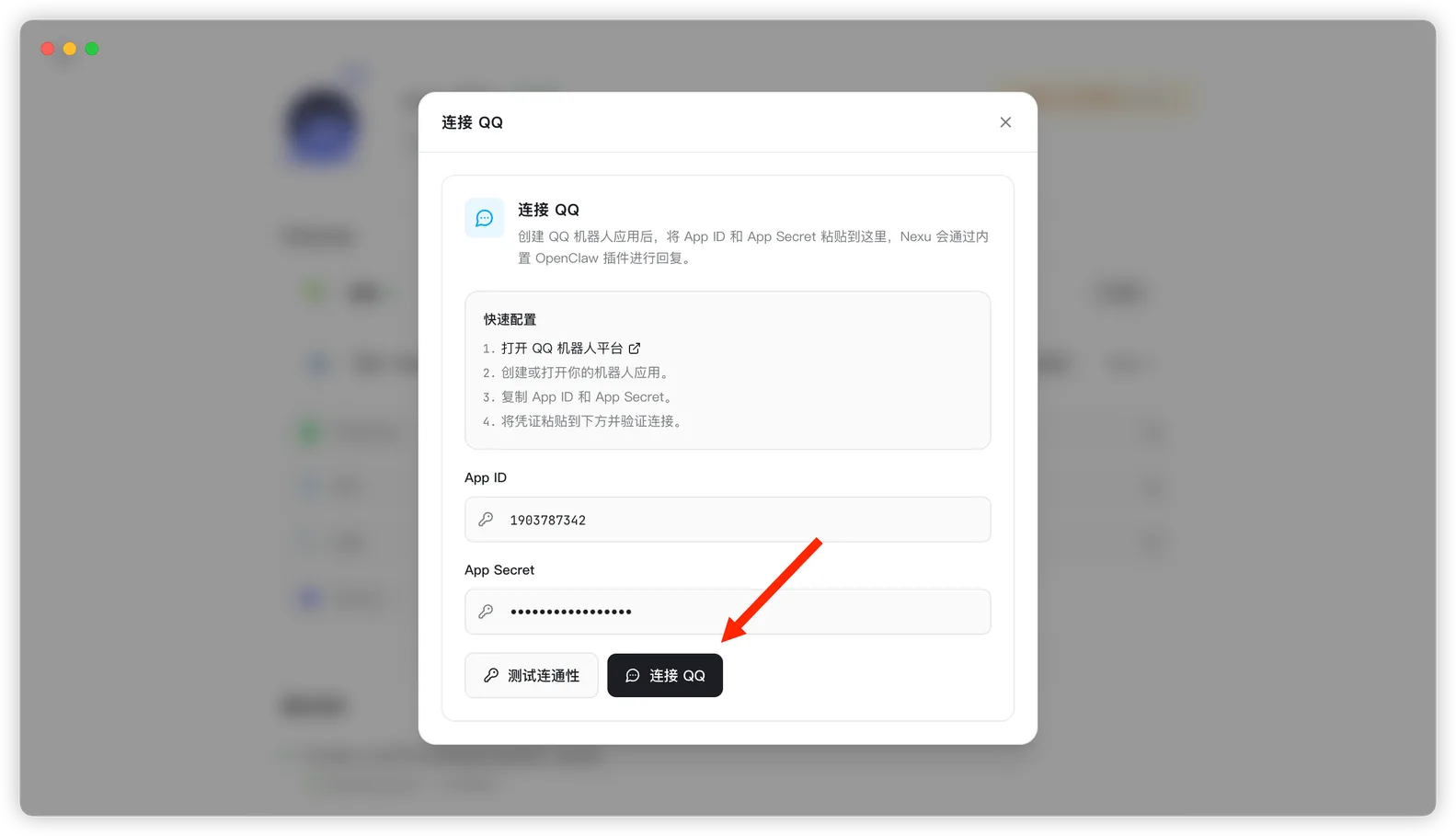
Step 5: Connect QQ in nexu
Paste the App ID and App Secret into the QQ channel dialog in nexu, then click "Connect QQ".
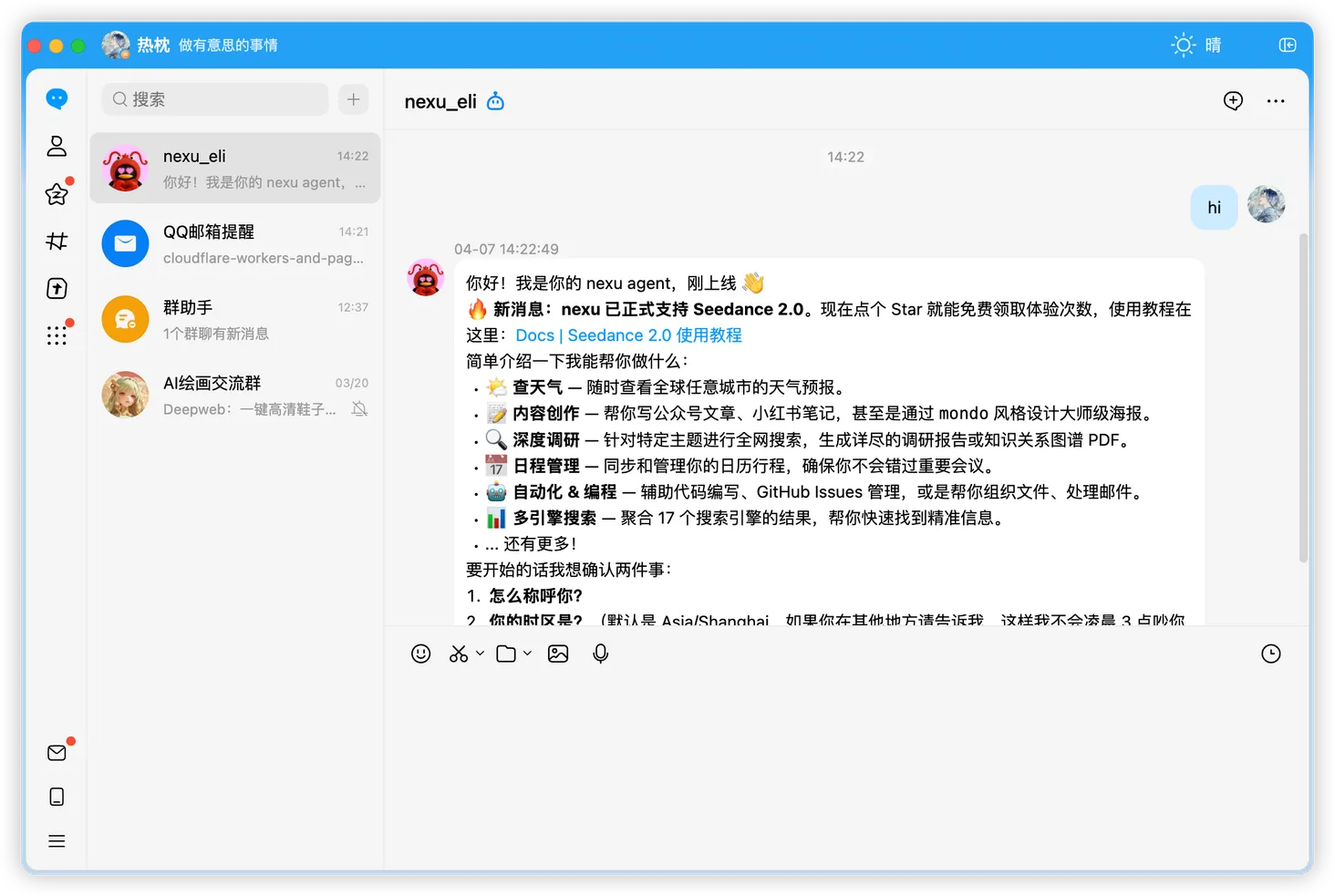
Step 6: Start chatting in QQ
Once connected, open desktop QQ or mobile QQ, find the bot conversation you just created, and send a message to start chatting with your Agent.
FAQ
Q: Do I need my own server or a public callback URL?
No. With nexu's current QQ integration, you only need to enter the App ID and App Secret in the client.
Q: Where do I find the QQ bot after it's connected?
Open desktop QQ or mobile QQ and search for the bot name you used when creating it, or look for it in your recent conversations.
Q: Why is the bot not replying even though the connection succeeded?
Check these first:
- The App ID and App Secret are entered correctly
- The nexu client is still running
- You are messaging the exact bot you just created
Q: Will the bot keep replying if my computer is turned off?
The nexu client needs to stay running. As long as nexu is running in the background and your computer is not asleep, the bot can keep replying.
Q: Can I add the bot to a QQ group?
Yes. You can add the bot to a QQ group and use it there. It is still a good idea to test the bot in a private chat first.